Quick answer
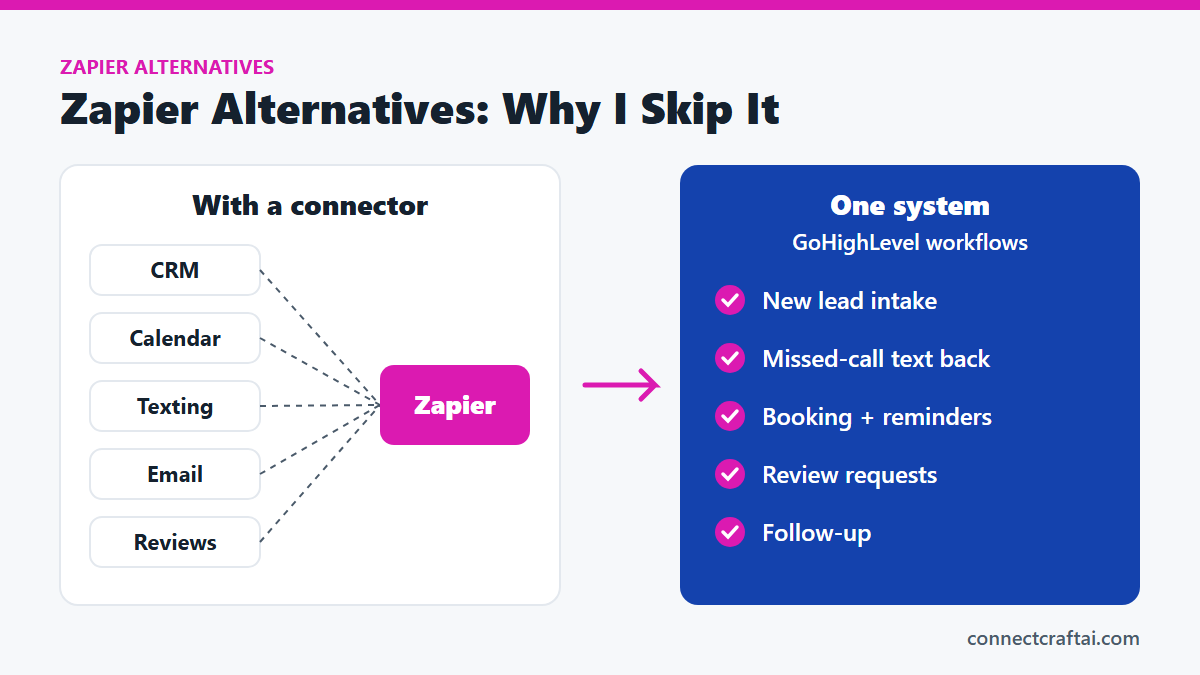
The main Zapier alternatives are Make, n8n, Pabbly Connect and the workflows built into your CRM. I don't pay for Zapier at all. My business automations run inside GoHighLevel workflows, so leads, texts, bookings and follow-up live in one system with no per-task bill.
Disclosure: some links in this post are affiliate links. If you sign up through them I may earn a commission, at no extra cost to you.
Zapier is usually the first automation tool a small business owner hears about. You connect your form to your email list, your calendar to your CRM, and it works. Then you add a few more steps, the task count climbs, and the bill starts to feel like one more subscription you have to watch.
That is why so many people search for Zapier alternatives. I build automations for service businesses in Eau Claire, WI and online, and I run my own business without Zapier. Here is how the main options compare on price and fit, why I keep my automations inside GoHighLevel, and when a connector tool still makes sense.
Why look for a Zapier alternative?
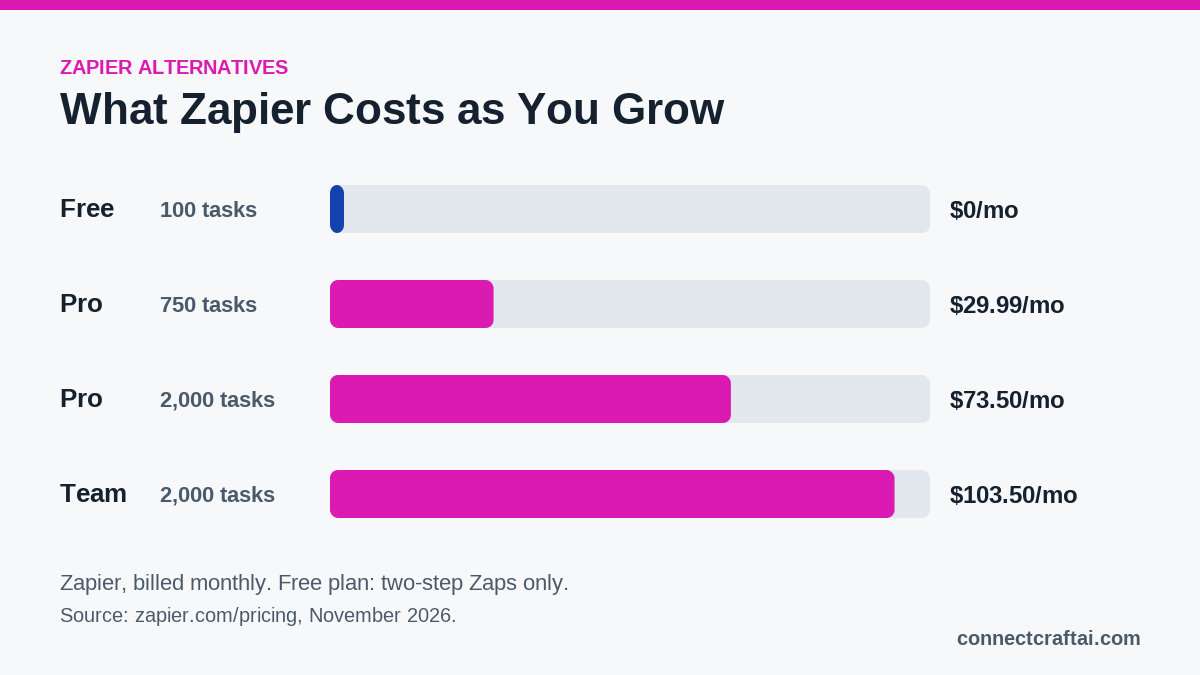
Most people look for a Zapier alternative because of cost. Zapier bills by tasks, and every action a Zap performs counts. The free plan gives you 100 tasks a month and two-step Zaps only. Multi-step Zaps need the Pro plan or higher, and the price goes up with each task tier.
Here is what that looks like on Zapier's pricing page today:
- Free: $0, 100 tasks a month, two-step Zaps.
- Pro: $29.99 a month billed monthly, or $19.99 a month billed annually, for 750 tasks.
- Pro at 2,000 tasks: $73.50 a month billed monthly, or $49 a month billed annually.
- Team: starts at $103.50 a month billed monthly, or $69 a month billed annually, for 2,000 tasks.
None of that is unreasonable if Zapier is doing a lot of work for you. The problem is the setup most small businesses end up with: a CRM, a calendar, a texting tool, an email tool and a review tool, with Zapier in the middle holding it all together. You pay for every app and then pay again to connect them.
What are the best Zapier alternatives?
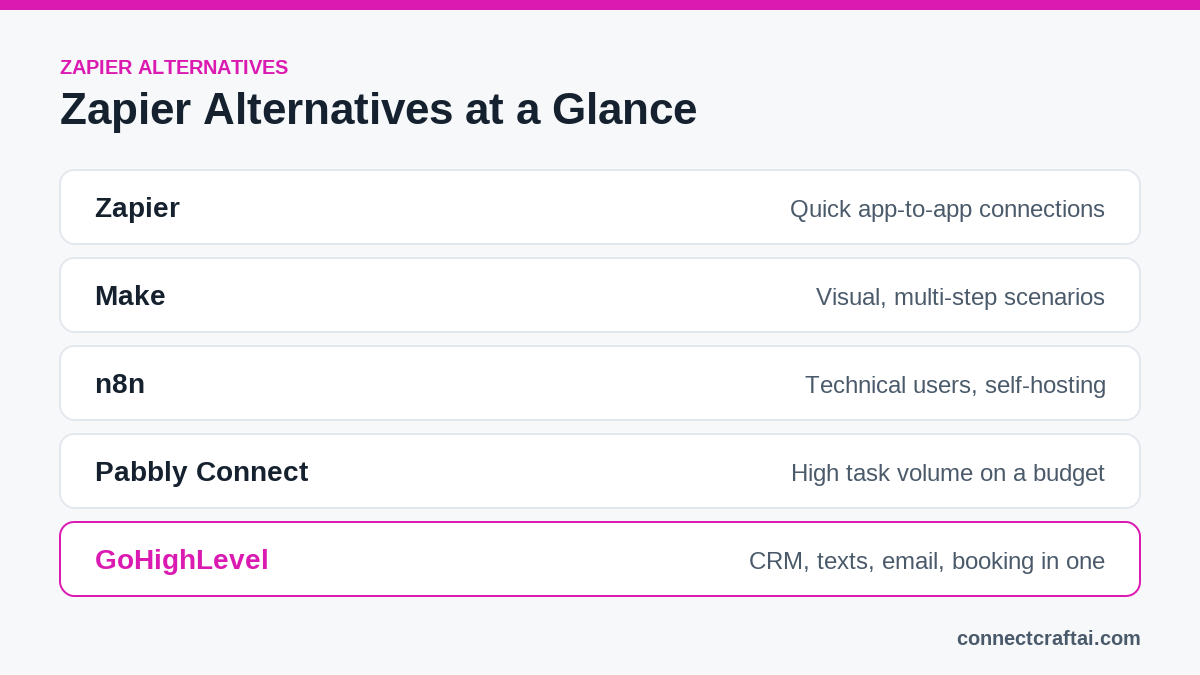
The best Zapier alternatives for a small business are Make for visual multi-step builds, n8n for technical users who want to self-host, Pabbly Connect for high task volume, and GoHighLevel workflows if you want your CRM, messaging and automation in one place. The right pick depends on your budget, your comfort with tech and the apps you need.
| Tool | Best for | Free plan | Starting price | Notes |
|---|---|---|---|---|
| Zapier | Quick connections between many apps | Yes: 100 tasks/mo, two-step Zaps | $29.99/mo monthly or $19.99/mo annually (Pro, 750 tasks) | Priced by task tier; multi-step Zaps need Pro |
| Make | Visual, multi-step scenarios | Yes: 1,000 credits/mo | See Make pricing | Billed in credits; most actions use 1 credit; paid plans are Core, Pro and Teams |
| n8n | Technical users, AI agents, self-hosting | No cloud free plan; free trial with no card; self-hosted Community Edition on GitHub | €20/mo billed annually (Starter, 2.5K executions) | Charges per workflow run, not per step; unlimited users and workflows |
| Pabbly Connect | High task volume on a budget | Free sign-up offered | See Pabbly pricing | Triggers and internal steps don't count as tasks; one-time plans offered |
| GoHighLevel workflows | Service businesses that want CRM, texts, email and booking in one place | No; 14-day free trial | $97/mo (Starter) | Workflow builder included; unlimited contacts and users; texts, email and calls are billed by usage |
Prices are from each company's pricing page as of November 2026. They change, so check before you sign up.
Is there a cheaper alternative to Zapier?
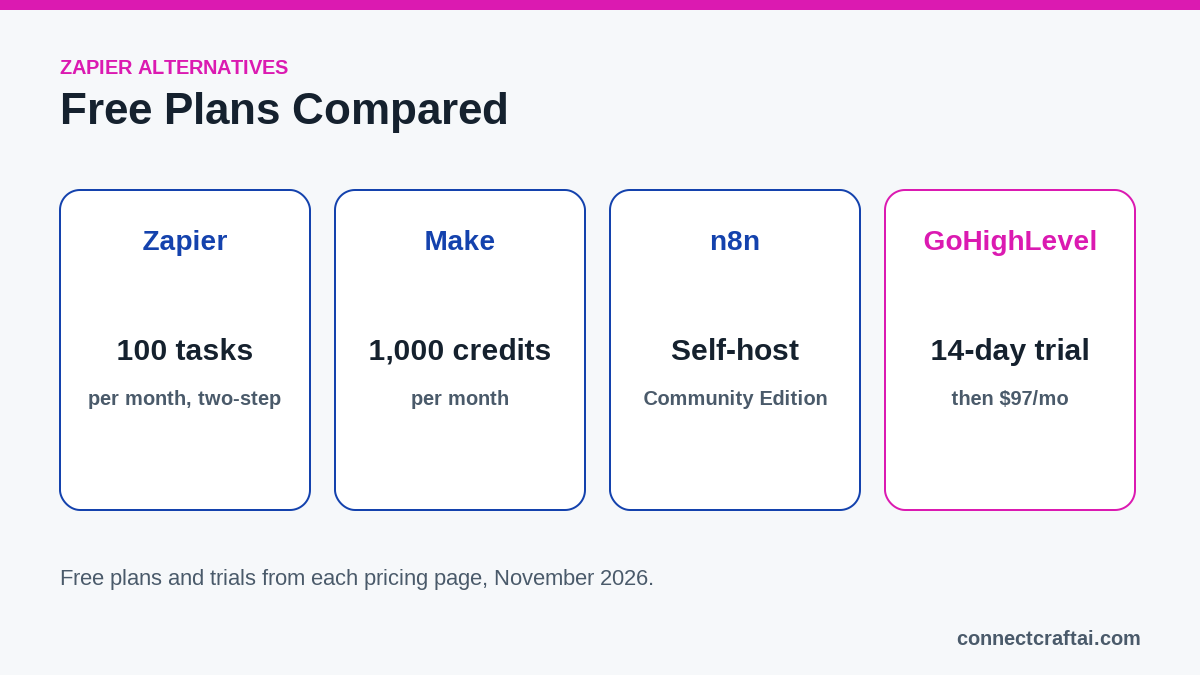
Yes, but cheaper depends on how you count. Make's free plan includes 1,000 credits a month, compared with 100 tasks on Zapier's free plan. n8n charges per workflow run no matter how many steps it has. Pabbly doesn't count triggers or internal steps as tasks. The cheapest option of all is not needing a connector, because your main system already does the job.
Before you switch tools, count what you actually automate. If most of your Zaps move leads into a CRM, send a text or email, or book an appointment, you may be paying Zapier to do work your CRM could do on its own.
Should I use Zapier or Make?
Use Zapier if you want the fastest setup and your automations are short and simple. Use Make if you build longer, branching workflows and want a visual map of every step. Make's pricing page says most actions use one credit, and its free plan gives you more room to test before you pay.
Both are connectors. They sit between your other apps. If your goal is fewer apps, not a cheaper connector, look at the next option.
Why I run my business on GoHighLevel workflows instead
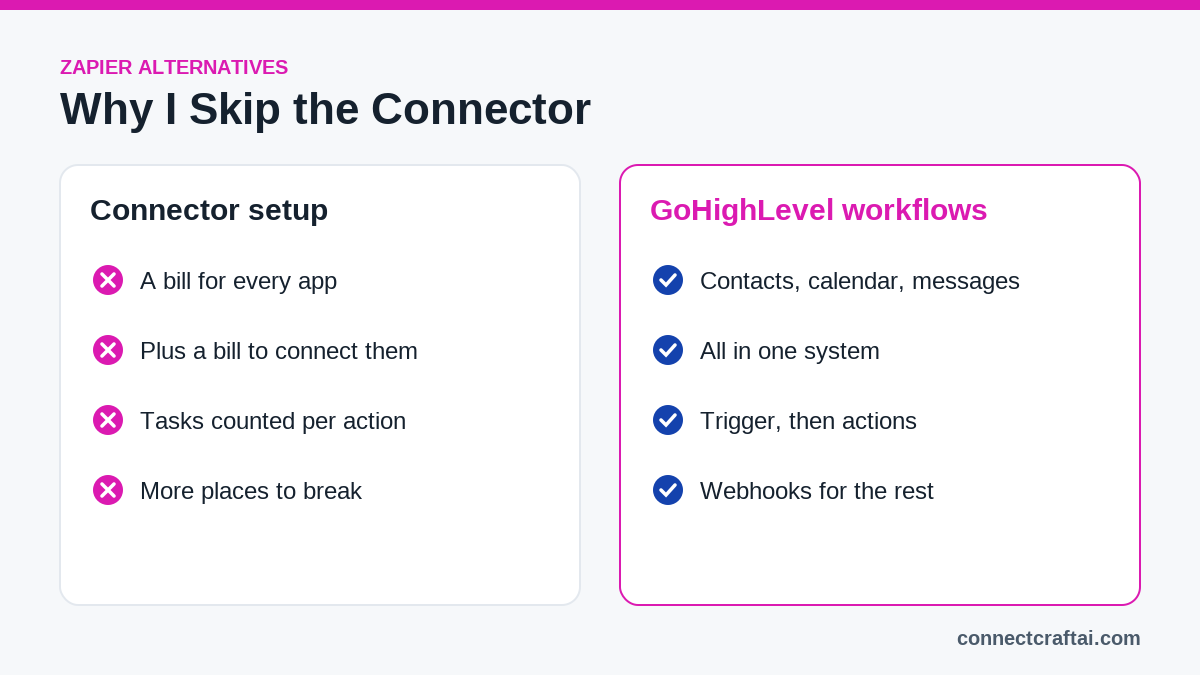
I run my own business on GoHighLevel, and the automations that keep it moving are workflows inside it. A workflow starts with a trigger, like a form submitted or an appointment booked, and then runs a set of actions, like sending a text, updating a contact or creating a task. Because my contacts, calendar and messages live in the same place, there is nothing to connect.
If you are new to the platform, my plain-English guide to what GoHighLevel is covers the basics, and the complete GoHighLevel guide pulls together pricing, AI tools and setup.
The GoHighLevel workflows I set up most
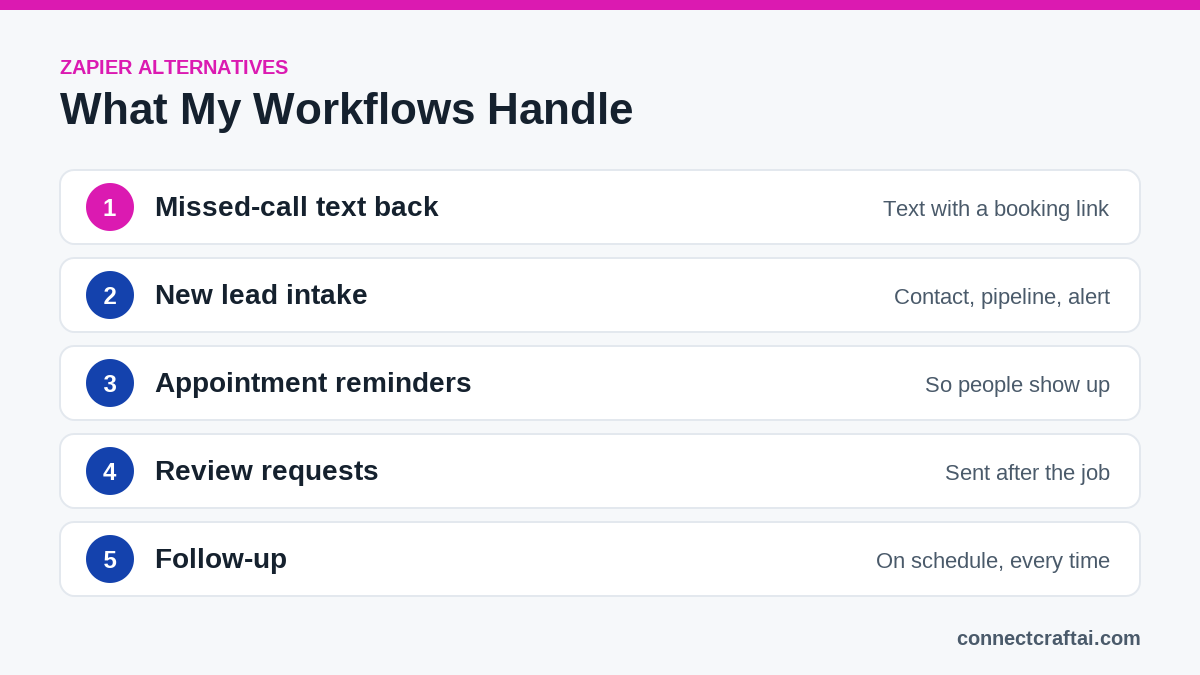
These are the workflows I build most often for service businesses, and the same kind of setup runs mine.
- Missed-call text back. When the business can't pick up, the caller gets a text back right away with a booking link.
- New lead intake. A form submission creates the contact, puts it in the right pipeline stage and notifies the owner.
- Appointment reminders. A booking triggers the confirmation and the reminder so people show up.
- Review requests. After the job, the workflow asks for the review.
- Follow-up. Messages go out on schedule without anyone remembering to send them.
The same setup runs the systems I build for clients: Super Agent, the Show-Up System and the missed-call text back all run on HighLevel.
What GoHighLevel workflows can do that a connector can't
The HighLevel help docs list what the workflow builder includes: multiple triggers per workflow, trigger filters, if/else branches, chaining one workflow into another, pre-built templates, and an option to describe a workflow and let AI build a first draft. Webhooks work as both a trigger and an action, so HighLevel can still talk to an outside system when you need it to.
That last part matters. Running without Zapier doesn't mean you can never connect another tool. It means the everyday work happens in one place, and an outside connection is the exception.
What it costs
GoHighLevel's Starter plan is $97 a month or $970 a year, and it includes the workflow builder, two-way SMS and email, unlimited contacts and unlimited users. The Unlimited plan is $297 a month. Both come with a 14-day free trial. Texts, email and calls are billed by usage on top. I break down every plan and the usage costs in GoHighLevel pricing: plans and real costs.
If you want to try it, you can start a GoHighLevel trial here.
When Zapier or another connector still makes sense
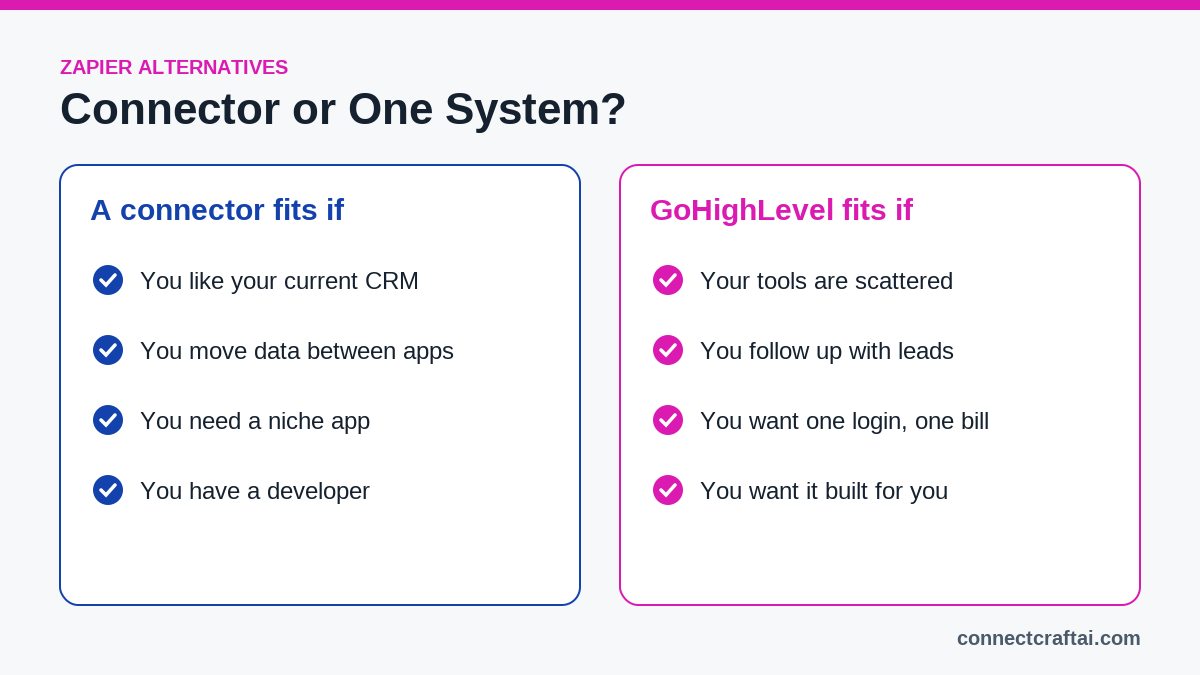
A connector still makes sense when your business runs on tools that need to talk to each other and you don't want to replace them. GoHighLevel is a good fit for service businesses that live on leads, calls and appointments. It is not the answer for every business.
| A connector like Zapier, Make or n8n fits if | GoHighLevel workflows fit if |
|---|---|
| You are happy with your current CRM and email tools | Your CRM, texting and booking tools are scattered |
| You mostly move data between apps, like spreadsheets or project boards | You mostly follow up with leads and customers |
| You need a niche app that only a connector supports | You want one login and one bill for the core work |
| You have a developer, or want to self-host (n8n) | You want someone to build and test it for you |
Plenty of businesses do both: GoHighLevel for the customer side and a connector for one or two back-office jobs. That is fine. The goal is fewer moving parts, not zero.
How to move off Zapier without breaking anything
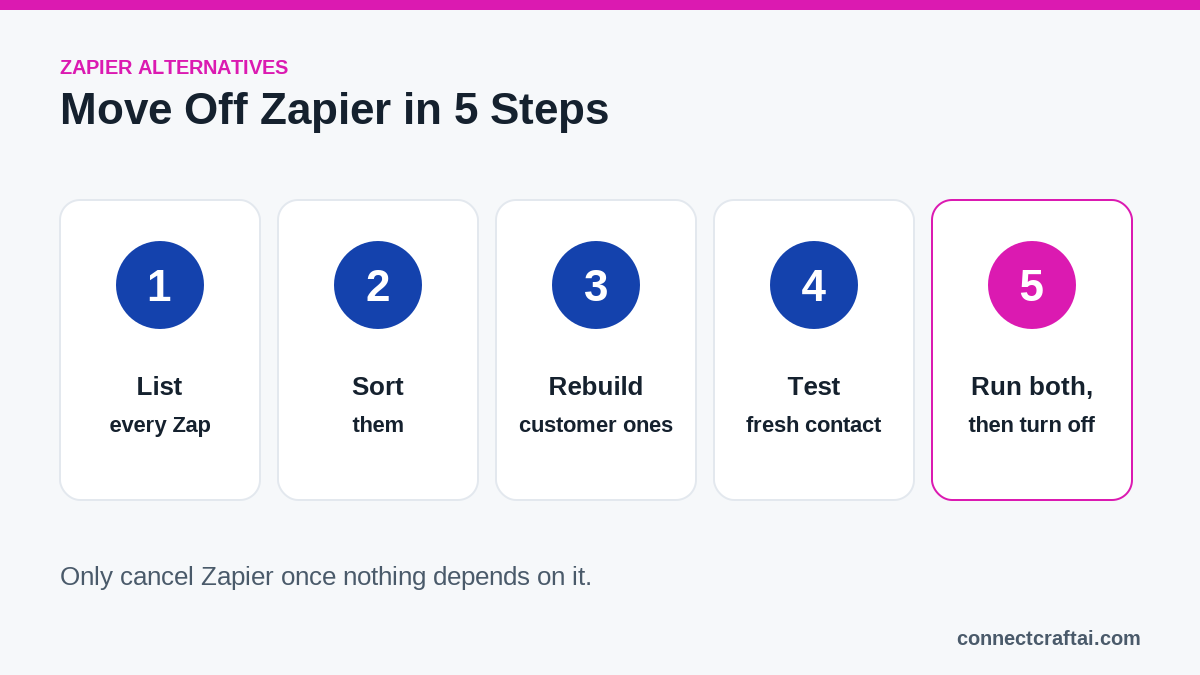
- List every Zap. Write down the trigger, the actions and how many tasks each one used last month.
- Sort them. Mark which ones are about leads, messages and appointments, and which ones move data between other apps.
- Rebuild the customer ones first. Recreate them as workflows in your main system, starting with the one that runs most often.
- Test with a fresh contact. HighLevel's own troubleshooting advice is to test with a new contact that hasn't entered the workflow before.
- Run both for a week, then turn the Zap off. Only cancel or downgrade Zapier once nothing depends on it.
Want your automations built in GoHighLevel?
If you'd rather not rebuild your Zaps yourself, this is what I do. I build GoHighLevel systems around how your business actually works.
- Pipelines that match how you actually sell
- A calendar that books itself
- Missed-call text-back and follow-up that goes out without you remembering to send it
- Built, tested, and I stay on call to change it
See GoHighLevel business setup for the details, or book a 15-minute call and bring your list of Zaps. If a connector is the better fit for you, I'll tell you that too.
Frequently asked questions
Is Zapier free?
Zapier has a free plan with 100 tasks a month and two-step Zaps only. Multi-step Zaps need the Pro plan, which starts at $29.99 a month billed monthly or $19.99 a month billed annually for 750 tasks.
What is the best free alternative to Zapier?
Make has a free plan with 1,000 credits a month, and most actions use one credit. n8n's Community Edition is a self-hosted version on GitHub, which suits technical users who can run their own server.
Which is cheaper, Make or Zapier?
On the free plans, Make gives you 1,000 credits a month against Zapier's 100 tasks. For paid plans, compare both pricing pages at the volume you actually use, because both charge more as usage grows.
Can GoHighLevel replace Zapier?
For many service businesses, yes. GoHighLevel workflows handle lead intake, texts, emails, reminders, review requests and pipeline updates inside the same system that holds your contacts and calendar. Webhooks cover the occasional outside connection.
Do GoHighLevel workflows cost extra?
No. The workflow builder is included in the Starter plan at $97 a month. Texts, emails and calls sent by those workflows are billed by usage.
Is n8n a good Zapier alternative?
It is a strong choice if you are comfortable with technical setup. n8n charges per workflow run instead of per step, includes unlimited users and workflows, and its cloud Starter plan is €20 a month billed annually for 2,500 executions.
Do I need to know how to code to replace Zapier?
No. Make, Pabbly Connect and GoHighLevel workflows are all no-code builders. n8n is easier if you are comfortable with technical tools, especially if you self-host it.
Stop paying to connect your own tools.
I'll build your leads, texts, reminders and follow-up as GoHighLevel workflows, tested and ready to run.
See GoHighLevel setup →