Quick answer
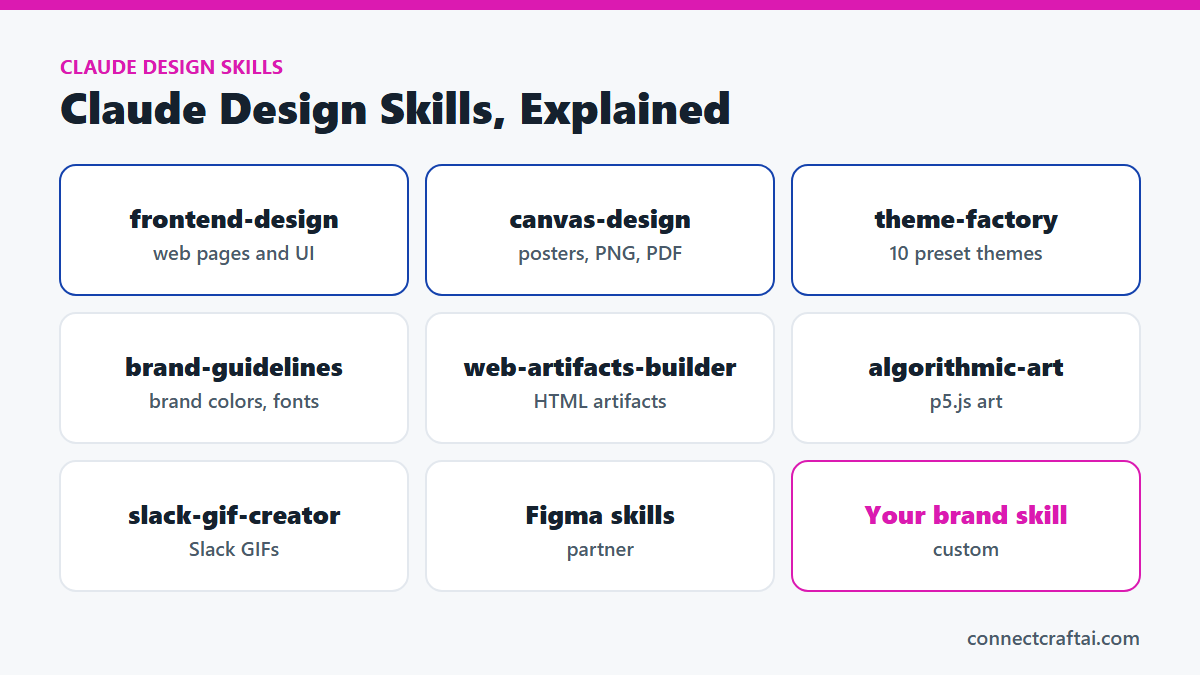
Claude design skills are saved instruction folders that teach Claude to make better-looking web pages, posters, slides and branded documents. Anthropic publishes seven, including frontend-design, canvas-design and theme-factory. They are not the same thing as Claude Design, which is a separate product.
Ask Claude for a landing page or a flyer and you will get something that works. It will also look a lot like what everyone else gets: the same rounded cards, the same soft gradient, the same safe font. Design skills are how you fix that. They give Claude a point of view before it starts drawing.
I build Claude skills and plugins for coaches, consultants and service businesses. Most articles on this topic are written for product designers who live in Figma and Claude Code. This one is for business owners. I checked every skill below against Anthropic's own repository and help center in November 2026, and I will tell you which ones are worth your time.
What are Claude design skills?
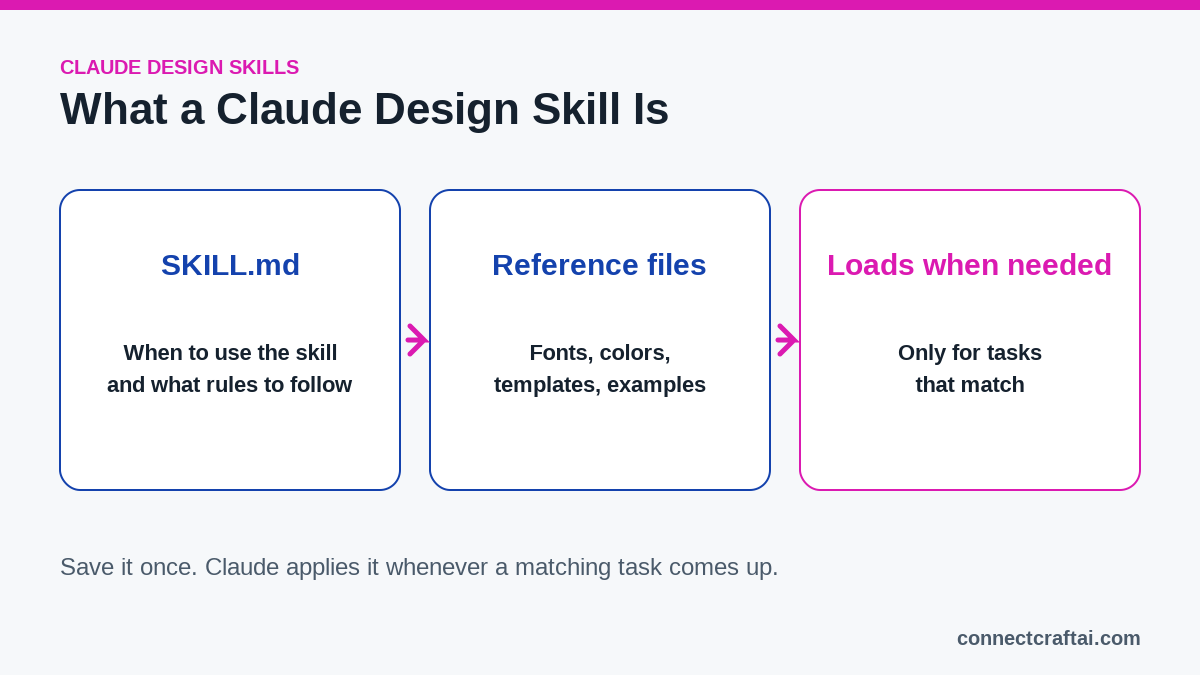
Claude design skills are folders of instructions and reference files that Claude loads when you ask for visual work. Each one is built around a file called SKILL.md that says when to use the skill and what rules to follow, such as how to choose fonts, colors and layout. You save the skill once and Claude applies it whenever a matching task comes up.
They work the same way as every other skill. The only thing that makes one a design skill is the job it does. If you are new to skills in general, start with my list of the best Claude skills for a small business and come back.
Is Claude Design the same as a Claude design skill?
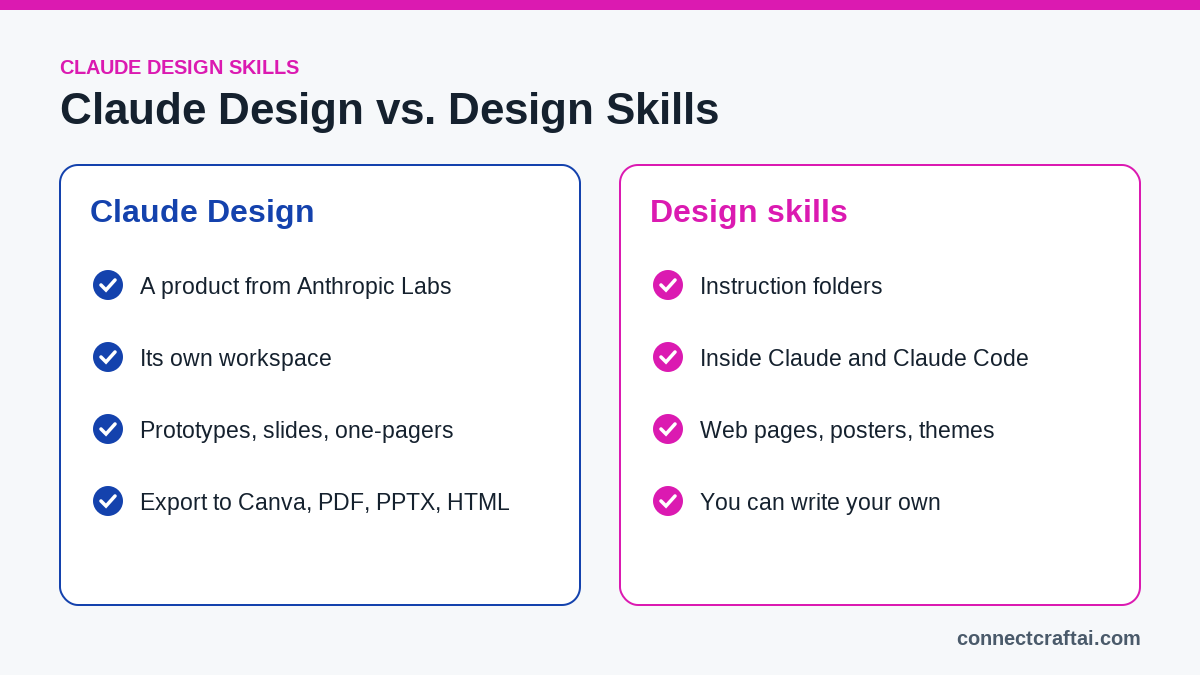
No. Claude Design is a separate product from Anthropic Labs, announced on April 17, 2026. It is a workspace where you work with Claude to create designs, prototypes, slides and one-pagers. A design skill is a set of instructions you add to Claude or Claude Code. The names are close, which is why the two get mixed up in search results.
| Claude Design | Claude design skills | |
|---|---|---|
| What it is | A product from Anthropic Labs | Instruction folders built around a SKILL.md file |
| What it makes | Designs, prototypes, slides, one-pagers | Whatever the skill covers: web pages, posters, themes, GIFs |
| Where it works | Its own workspace | Inside Claude and Claude Code |
| Your brand | Builds a design system for your team during onboarding | You write a skill that holds your colors and fonts |
| Getting work out | Export to Canva, PDF, PPTX or standalone HTML | Claude creates the file in the chat |
| Who can use it | At launch, a research preview for Pro, Max, Team and Enterprise | Free, Pro, Max, Ultra, Team and Enterprise, with code execution on |
Access and features for a research preview change, so check Anthropic's Claude Design announcement for the current details. The rest of this post is about skills.
Which design skills does Anthropic make?
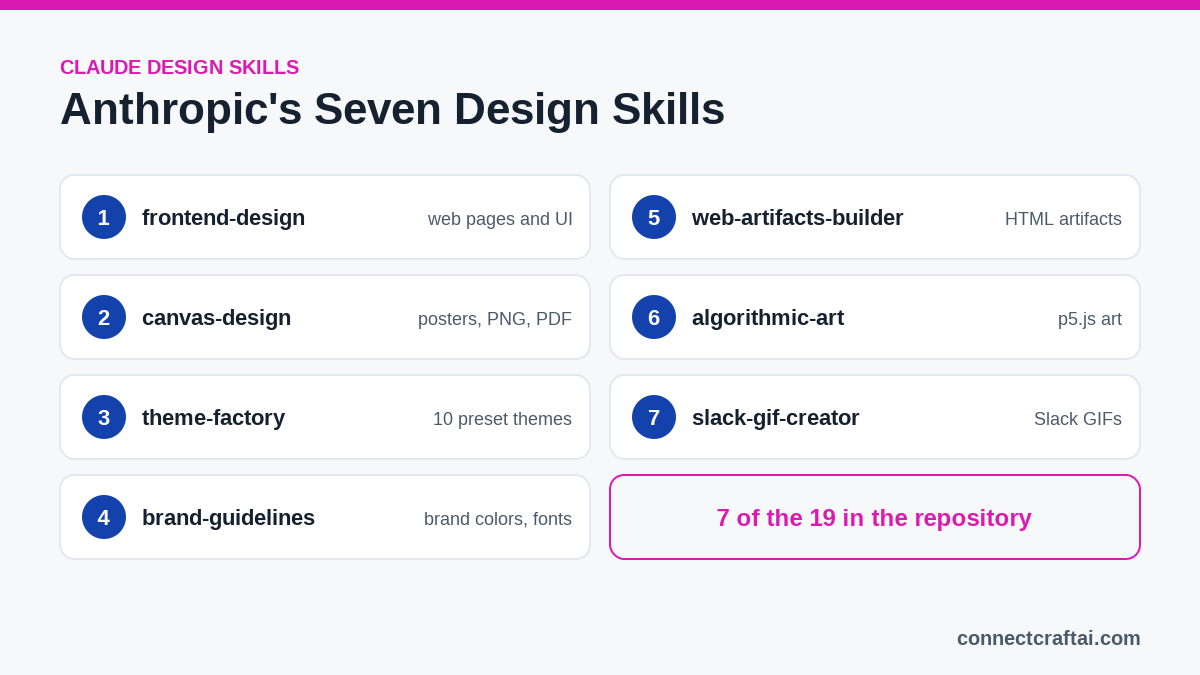
Anthropic's public skills repository held 19 skills when I checked, and by my count seven of them are about visual work: frontend-design, canvas-design, theme-factory, brand-guidelines, web-artifacts-builder, algorithmic-art and slack-gif-creator. Many of the skills in the repository are open source under the Apache 2.0 license.
| Skill | What it does | Best for |
|---|---|---|
| frontend-design | Guides visual choices when Claude builds or reshapes a web page or app screen | Landing pages, websites, dashboards |
| canvas-design | Creates static visual pieces as PNG and PDF files | Posters, flyers, event graphics |
| theme-factory | Applies one of 10 preset themes of colors and fonts, or makes a new one | Slides, documents, reports, HTML pages |
| brand-guidelines | Applies Anthropic's own brand colors and typography | A pattern to copy for your own brand |
| web-artifacts-builder | Tools for multi-part HTML artifacts using React, Tailwind CSS and shadcn/ui | Interactive tools and calculators |
| algorithmic-art | Makes generative art in code with p5.js | Art projects and backgrounds |
| slack-gif-creator | Makes animated GIFs sized for Slack | Team chat reactions |
The ten theme-factory presets have names like Ocean Depths, Modern Minimalist, Golden Hour and Midnight Galaxy. Canvas-design works in two steps. It first writes a short design philosophy, then expresses it on a canvas with very little text.
One caution from Anthropic itself. The Anthropic skills repository on GitHub says these skills are provided for demonstration and education, and that what you get inside Claude may differ from the code published there.
What does the frontend-design skill actually do?
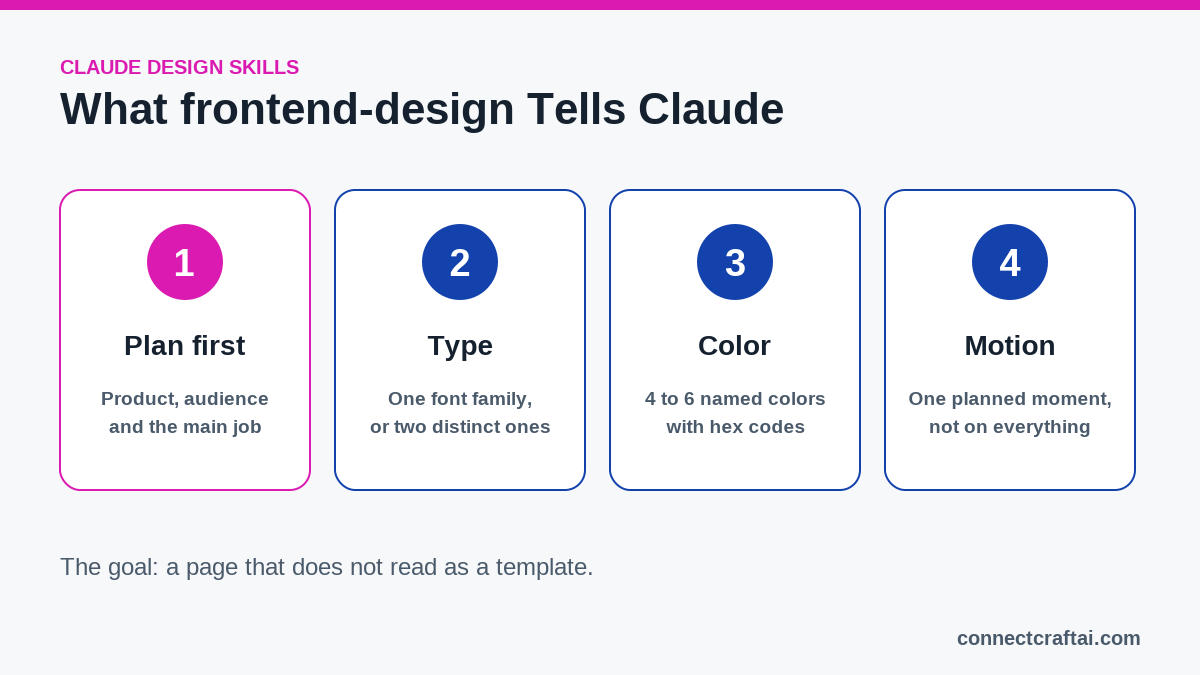
The frontend-design skill gives Claude a design process to follow before it writes any code for a page. It asks Claude to work out the product, the audience and the main job of the page first, then plan the look, check that plan against the brief, build it and critique the result. The goal is a page that does not read as a template.
This is the skill most people mean when they search for Claude design skills. Here is what it tells Claude to do, in plain terms:
- Start with the subject. Let the industry and its own visual language drive the choices, not a default layout.
- Pick type on purpose. Use one font family, or two that are clearly different, with a clear size scale and lines under 80 characters.
- Name the colors. Describe a base palette of four to six named colors with hex codes before building.
- Go easy on motion. One planned moment, like a page-load sequence, in place of every section fading and sliding in.
- Keep it usable. Responsive layouts, visible keyboard focus, respect for reduced-motion settings and accessible color.
It also names the habits that make a page look machine-made. A row of identical rounded cards with the same soft shadow. A cream background with a terracotta accent. A near-black background with one bright green accent. A big number with a small label as the hero.
What are the Figma design skills?
Figma publishes its own list of ten Claude skills for design work. Some are made by Figma, like /figma-use, which lets Claude read, navigate and act on a Figma file. Others come from designers at other companies and handle jobs like auditing a design system, applying spacing rules and writing accessibility specs. Anthropic's frontend-design skill is on the list too.
Anthropic's help center lists Figma among the partners with skills in the Skills Directory, next to Notion and Atlassian. If your business has a designer who works in Figma every day, send them Figma's list of Claude skills for design. If you have never opened Figma, you can skip this whole group and lose nothing.
You will also see community design skills in search results and YouTube videos. I have not tested those, so I will not rank them here. Before you install one, read its SKILL.md, check for scripts and know who made it.
Which Claude design skills does a small business need?
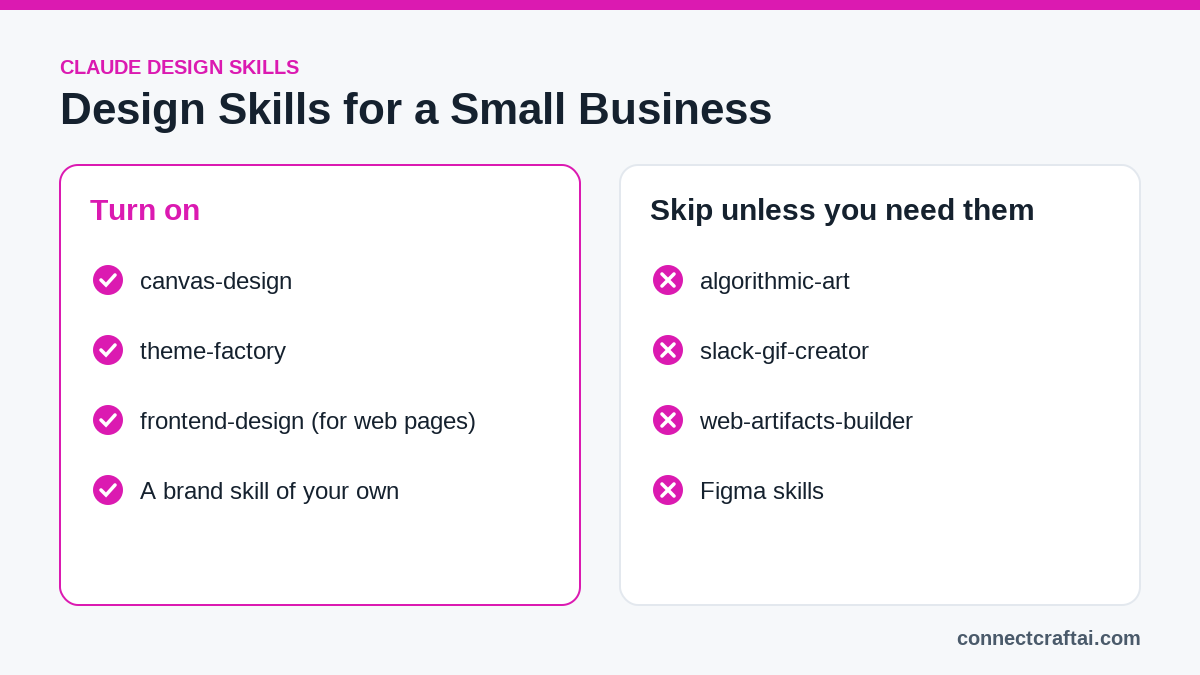
Most small businesses need three: canvas-design for quick graphics, theme-factory to style decks and documents, and one custom skill that holds their own brand colors and fonts. Add frontend-design if you use Claude to build web pages. The rest are for designers, developers and hobby projects.
- Turn on canvas-design if you make flyers, event graphics or simple social images.
- Turn on theme-factory if you send proposals, reports or slide decks and want them to stop looking like defaults.
- Turn on frontend-design if you ask Claude for landing pages, websites or HTML tools.
- Build a brand skill so all of the above use your colors, not a preset.
- Skip algorithmic-art, slack-gif-creator, web-artifacts-builder and the Figma skills unless you have a specific use for them.
For the non-design skills worth adding, see marketing skills for Claude worth installing.
How do I install a Claude design skill?
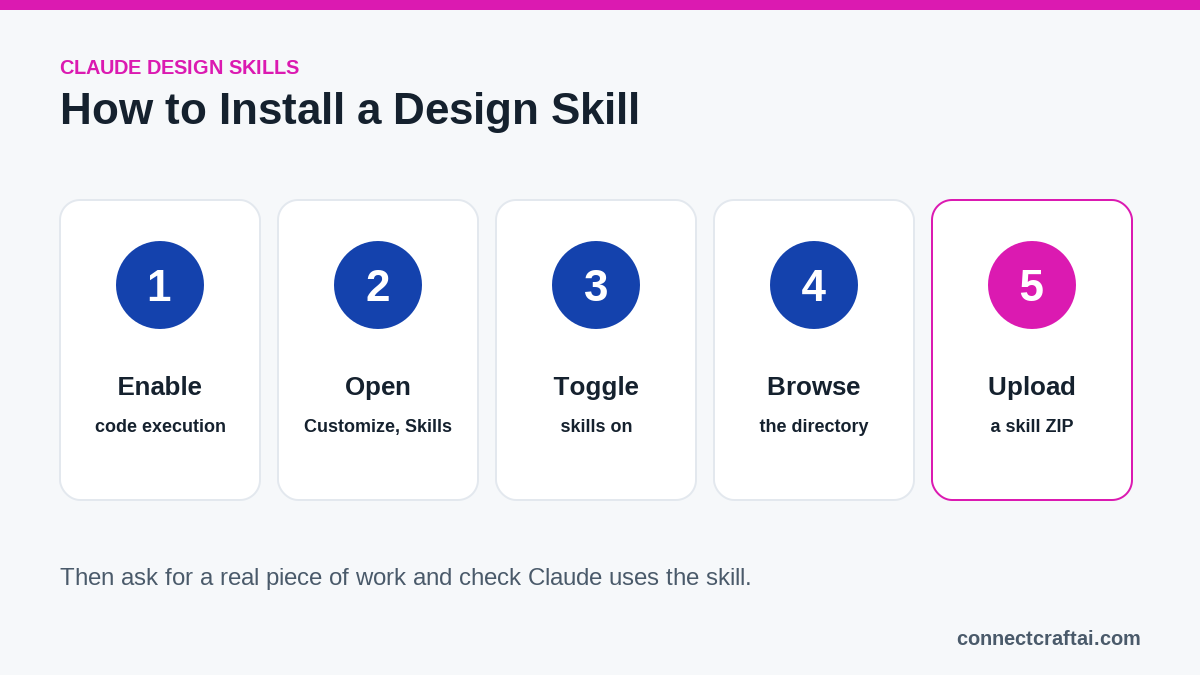
In the Claude app, open Customize, then Skills, and toggle on the design skills your account already lists. To add one that is not there, download the skill folder, package it as a ZIP file and upload it from the same screen. Code execution and file creation must be enabled first, because skills depend on it.
- Go to Settings, then Capabilities, and make sure code execution and file creation is enabled.
- Open Customize, then Skills, and toggle on any design skills listed there.
- Click "+" and then "Browse skills" to see the directory, including partner skills.
- To add a skill from a folder, click "+", then "+ Create skill", then "Upload a skill", and upload the ZIP.
- Ask for a real piece of work, like a flyer for your next event, and check that Claude uses the skill.
In Claude Code, you can add Anthropic's repository as a plugin marketplace with /plugin marketplace add anthropics/skills and install the example skills from it.
Can a Claude design skill replace a designer?
No. A design skill raises the floor on what Claude makes. It does not give you a brand, a strategy or a trained eye. It is a good fit for everyday pieces where done today matters more than perfect, and a poor fit for the work that defines how your business looks for years.
| Good at | Not good at |
|---|---|
| First drafts of flyers, decks and landing pages | Creating a logo or a brand identity from nothing |
| Keeping fonts and colors consistent once you define them | Knowing what your customers respond to |
| Avoiding the most common AI-looking layouts | Print-ready files for a sign shop or a vehicle wrap |
| Fast changes when you ask for a different direction | Judging its own work the way a designer would |
My advice is to pay a designer once for the brand itself, then put those decisions into a skill so Claude follows them every day.
How to build a design skill for your own brand
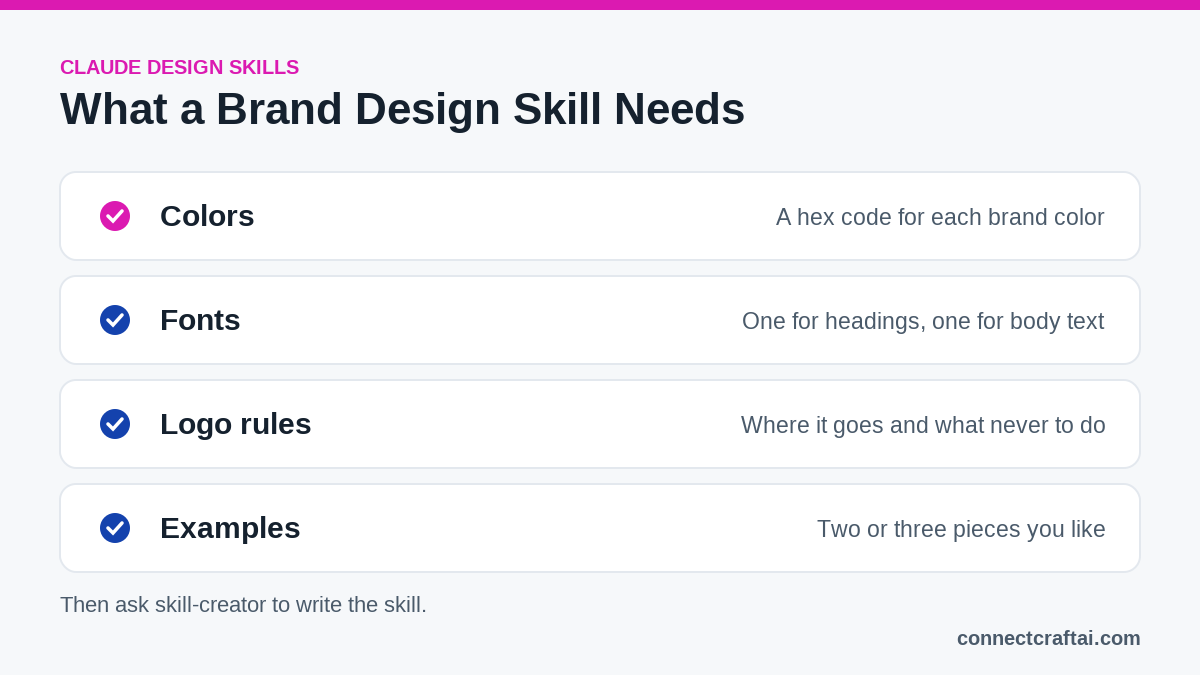
Anthropic's brand-guidelines skill is the pattern to copy. It lists Anthropic's colors as hex codes and names one font for headings and one for body text. Yours needs the same four things.
- Colors. The hex code for each brand color, and what each one is for: background, text, accent.
- Fonts. One for headings and one for body text, plus a fallback if the font is not installed.
- Logo rules. Where the logo goes, how much space it needs, and what never to do with it.
- Examples. Two or three finished pieces you are happy with, so Claude has something to match.
Turn on skill-creator, give it that information and ask it to write the skill. Then test it on a real job and tighten the wording wherever Claude drifts. A visual skill covers how your work looks. How it sounds is a separate job, and I cover that in how to build a brand voice guide AI can actually use.
Want Claude to sound like your brand too?
Design skills handle the look. The words inside the design still have to sound like you, and that is the part I sell ready-made. The plugins at the ConnectCraft Launchpad store are packages of Claude skills with one-time prices. They install by dragging the file into the Claude desktop app, and they need a paid Claude plan.
- "Sound Like You" Brand Voice Plugin, $47. Extracts your voice, tone and style, then writes in it. Pair it with canvas-design or theme-factory so the copy matches the visuals.
- Brand Authority Builder, $77. Brand-matched profile copy for six platforms, a competitor gap analysis and a customer acquisition plan.
To be clear, these are voice and content plugins, not visual design tools. If you want help deciding which skills fit your business, or you want a brand skill built for you, book a free 15-minute call and I will point you in the right direction.
Frequently asked questions
Are Claude design skills free?
Anthropic's own design skills cost nothing extra. Its help center says skills are available on Free, Pro, Max, Ultra, Team and Enterprise plans, as long as code execution is enabled. You may pay for ready-made skills or plugins that someone else has built.
What is the best Claude skill for design?
It depends on what you make. For web pages, frontend-design. For posters and flyers, canvas-design. For decks and documents, theme-factory. For most small businesses the most useful one is a custom skill that holds their own brand colors and fonts.
Do I need Figma to use Claude design skills?
No. Anthropic's design skills work inside Claude and create files like PNG, PDF and HTML directly. The Figma skills are a separate group for teams that already design in Figma.
What is the difference between Claude Design and the frontend-design skill?
Claude Design is a product from Anthropic Labs with its own workspace for prototypes, slides and one-pagers. The frontend-design skill is a set of instructions that guides Claude's visual choices when it builds a web page or app screen inside Claude or Claude Code.
Can Claude design skills use my brand colors?
Yes, once you tell it what they are. Theme-factory can create a new theme on request, and a custom brand skill can hold your hex codes, fonts and logo rules so Claude applies them every time.
Get the words right, then the design follows
Ready-made Claude plugins for brand voice, daily admin, ads and product launches. One-time prices from $37.
Browse the Claude plugins →